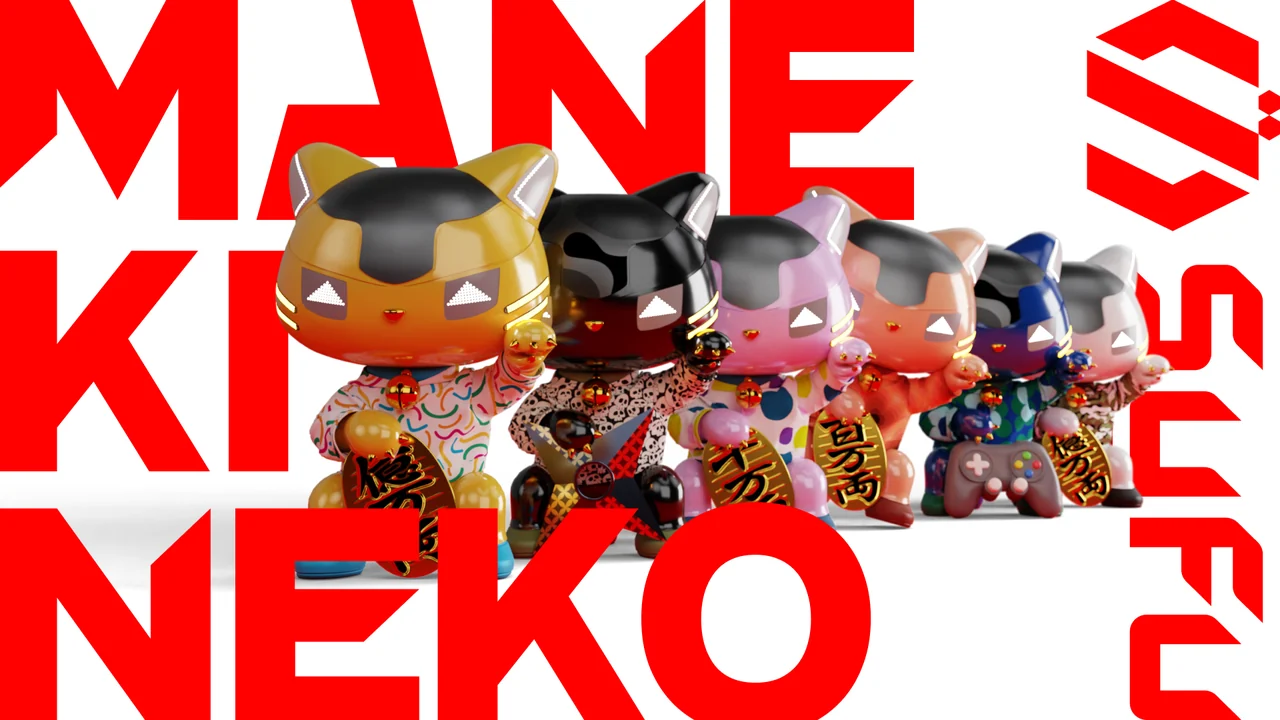
Shop as usual. Earn rewards.
SyFu is an app from Japan that turns your everyday credit card payments into rewards. Use your payment data to raise MANEKINEKO, a lucky-cat NFT, and earn tokens along the way.


To play, you need a MANEKINEKO NFT (from $50).
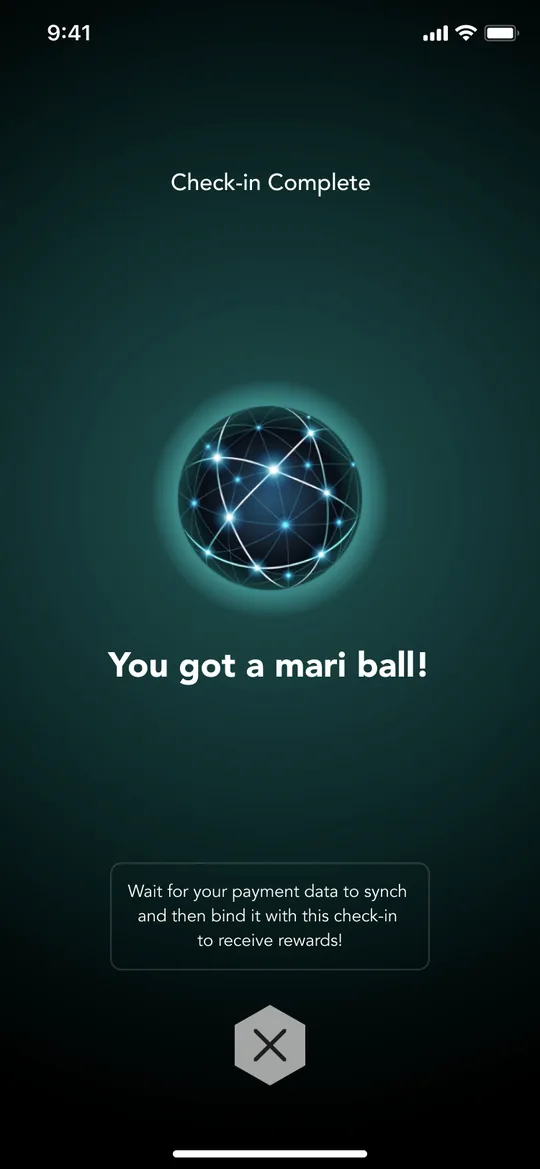
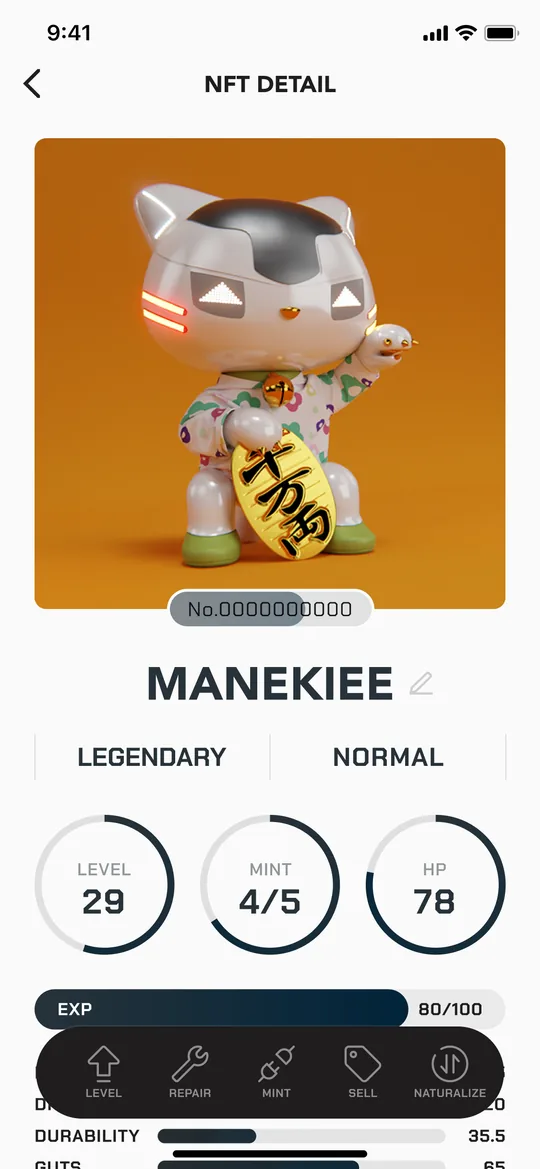
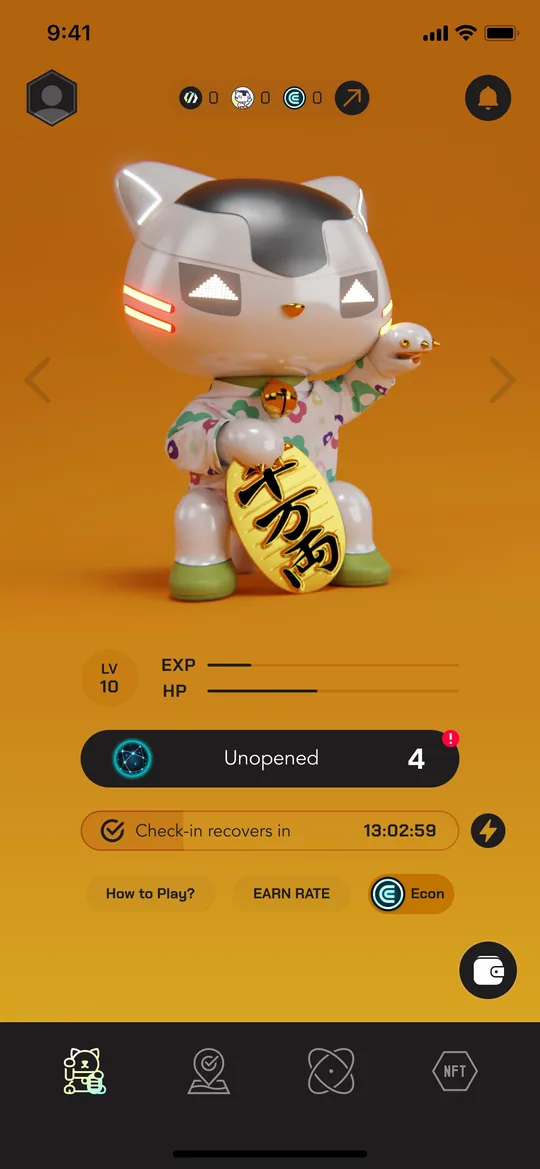
Same shopping,a different result.
Keep living as you do. Your everyday payments simply gain extra value.
Everyday use
Every time you shop, just follow these 4 steps.
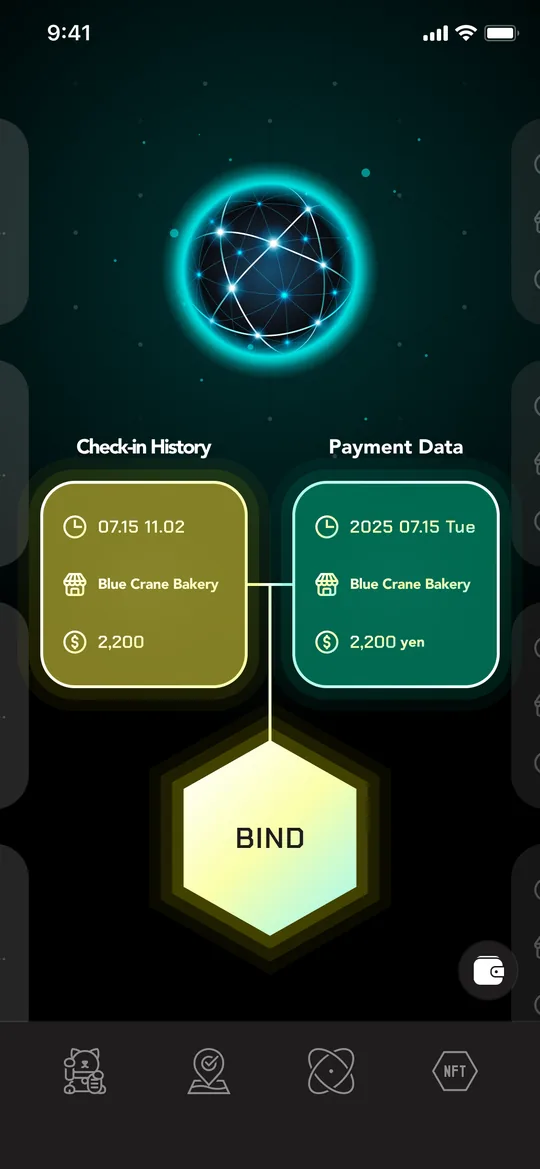
check in from the app.
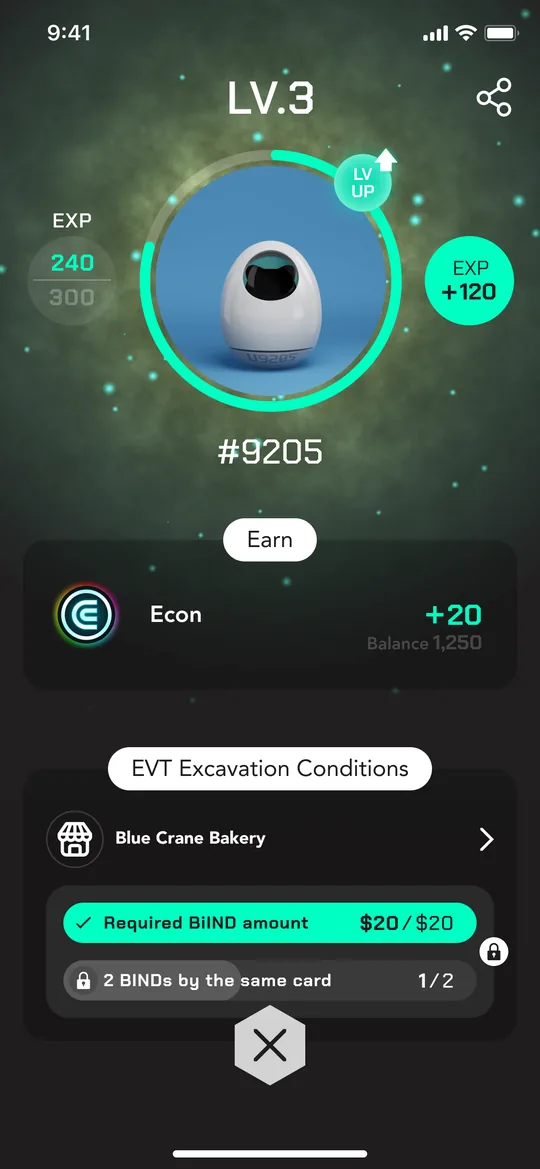
 EVTUtility token
 EconIn-game currency for growing your NFT
What you can do in the app
Earn tokens by shopping
Check in at a store, pay by credit card, then BIND with your payment data. Each BIND earns you EVT and Econ.
Raise your lucky cat
Check each MANEKINEKO's status and stats on its detail screen. The more you raise it with rewards, the more efficiently it earns.
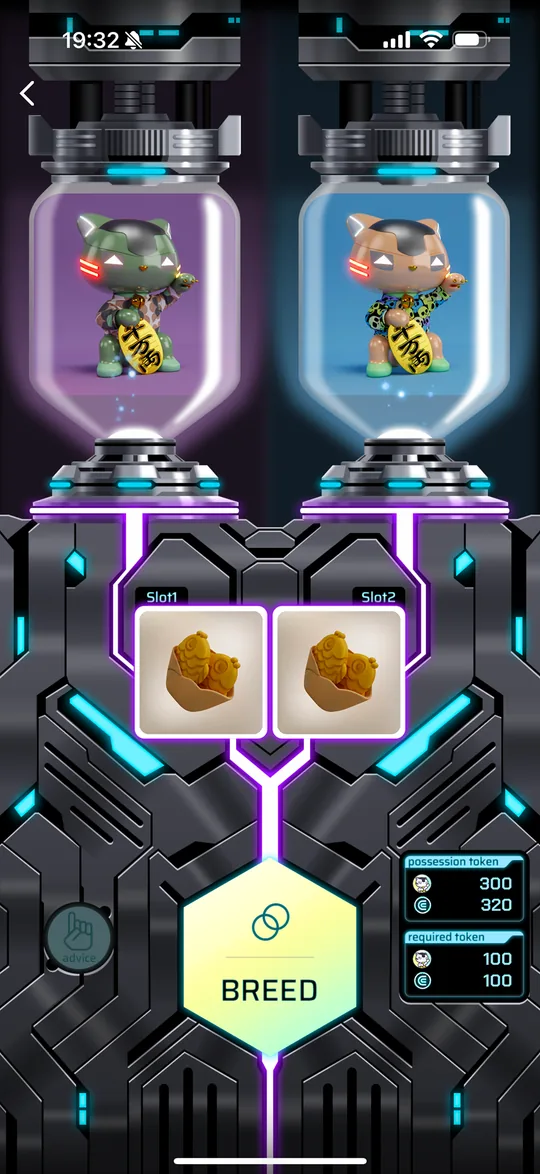
Breed new NFTs
Use two MANEKINEKO and items to create a new MANEKINEKO.
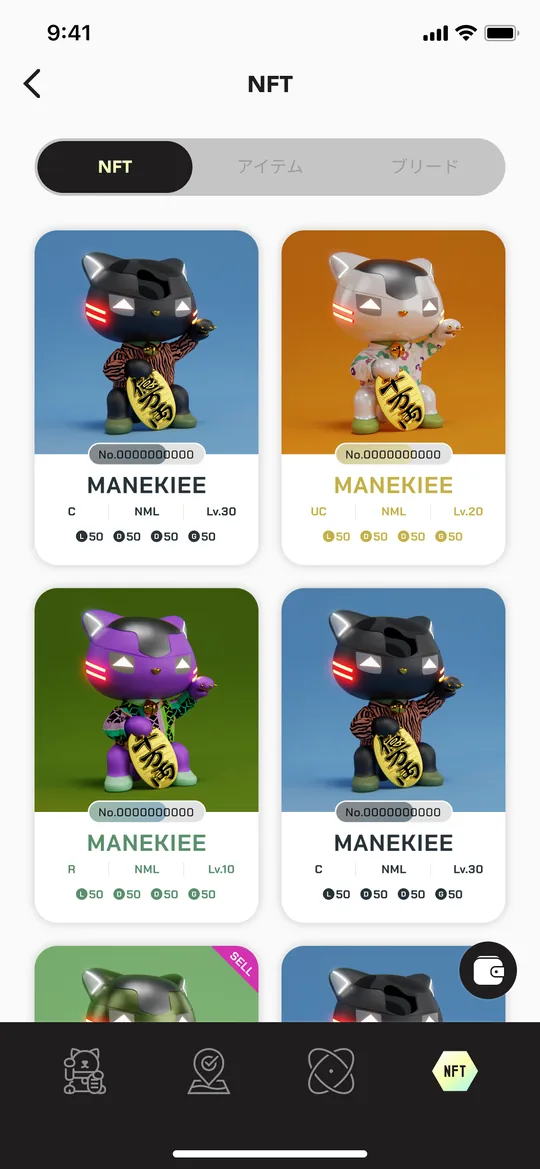
Collect and trade
See all your NFTs in one list, and buy or sell with other users on the official marketplace.
Your partner: a lucky-cat NFT you can raise.
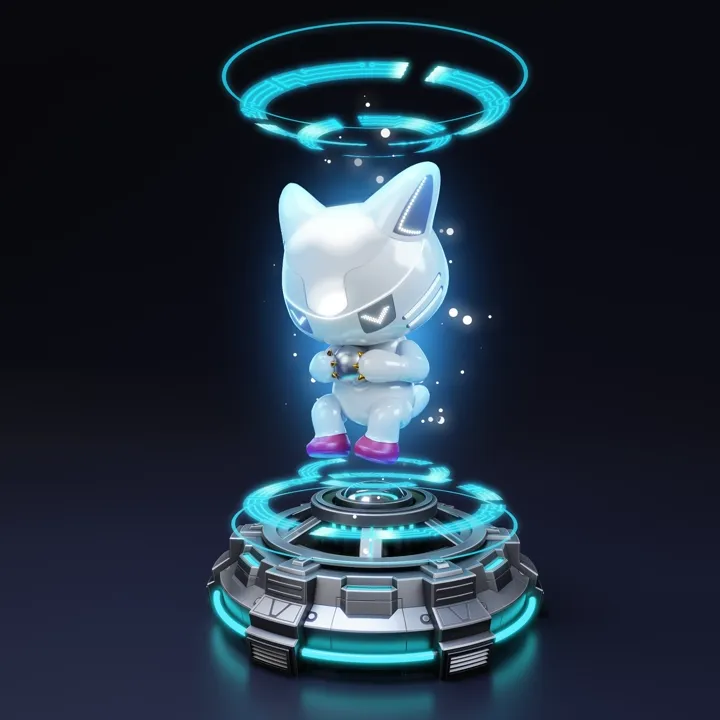
You need at least one MANEKINEKO NFT to play SyFu. Earn experience through BIND and level up, and it grows through three stages: Pod → Mini → Prime. Colors and looks vary.
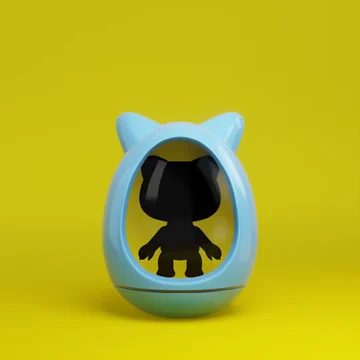
MANEKINEKO models
Price, performance and how to get one differ by model. Most beginners start with Common.


The honest truth about cost and risk.
The app is free, but you need to buy an NFT to play. Prices are based on official information as of October 2026 and may change.
Get started in 7 steps
-
Install "SyFu" from the App Store or Google Play.
-
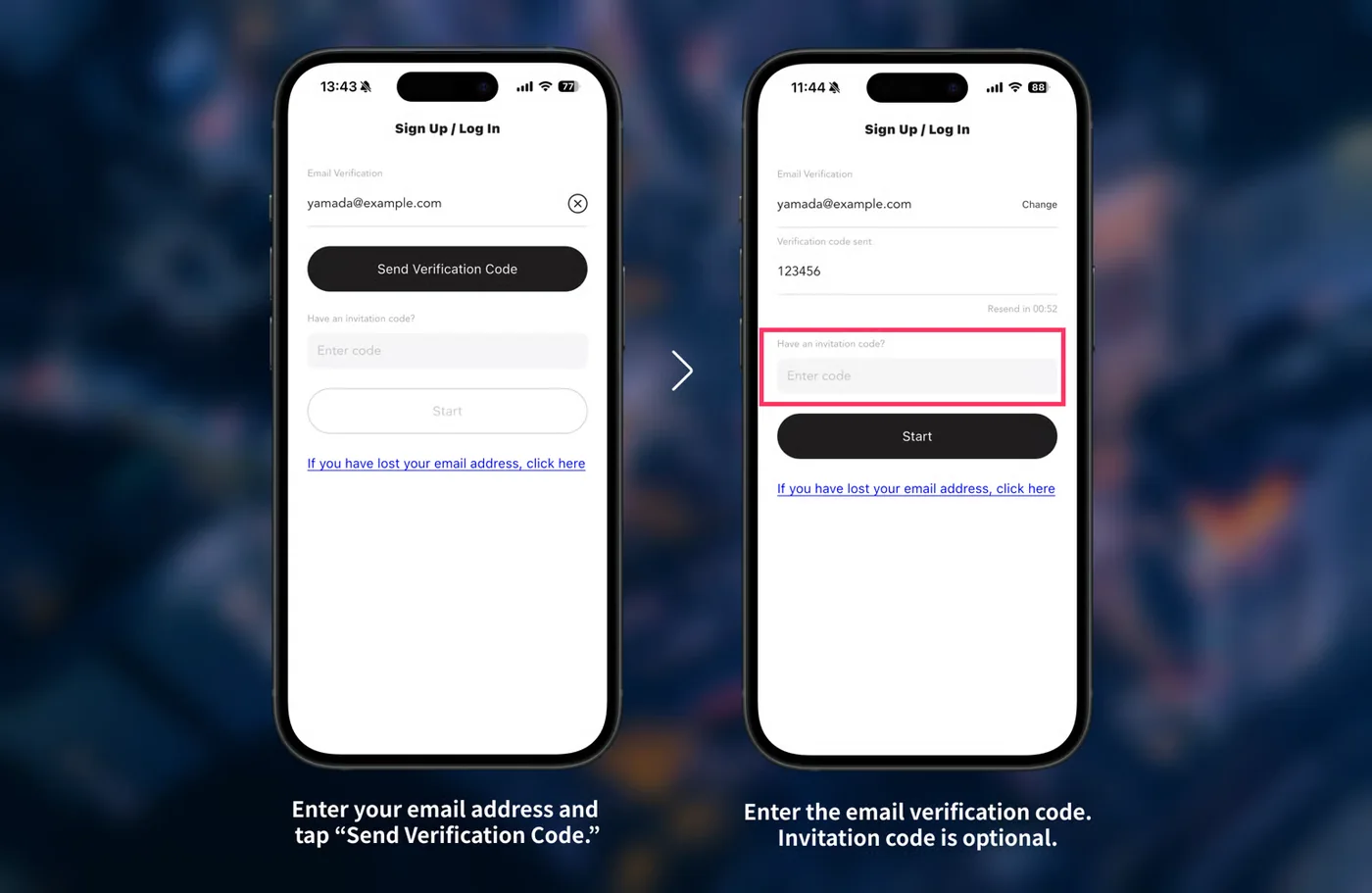
- Open the app, enter your email address and tap "Send verification code"
- Enter the 6-digit code you received by email
- If you have an invite code, enter it in the invite code field (optional)
- Tap "Start" to finish signing up
PR Invite code (optional) vECjzkxiIt's optional, but we both get a bonus when you use it, so I'd be over the moon if you did.
* This is the invite code of the page's creator. Check official information for bonus details and conditions. -
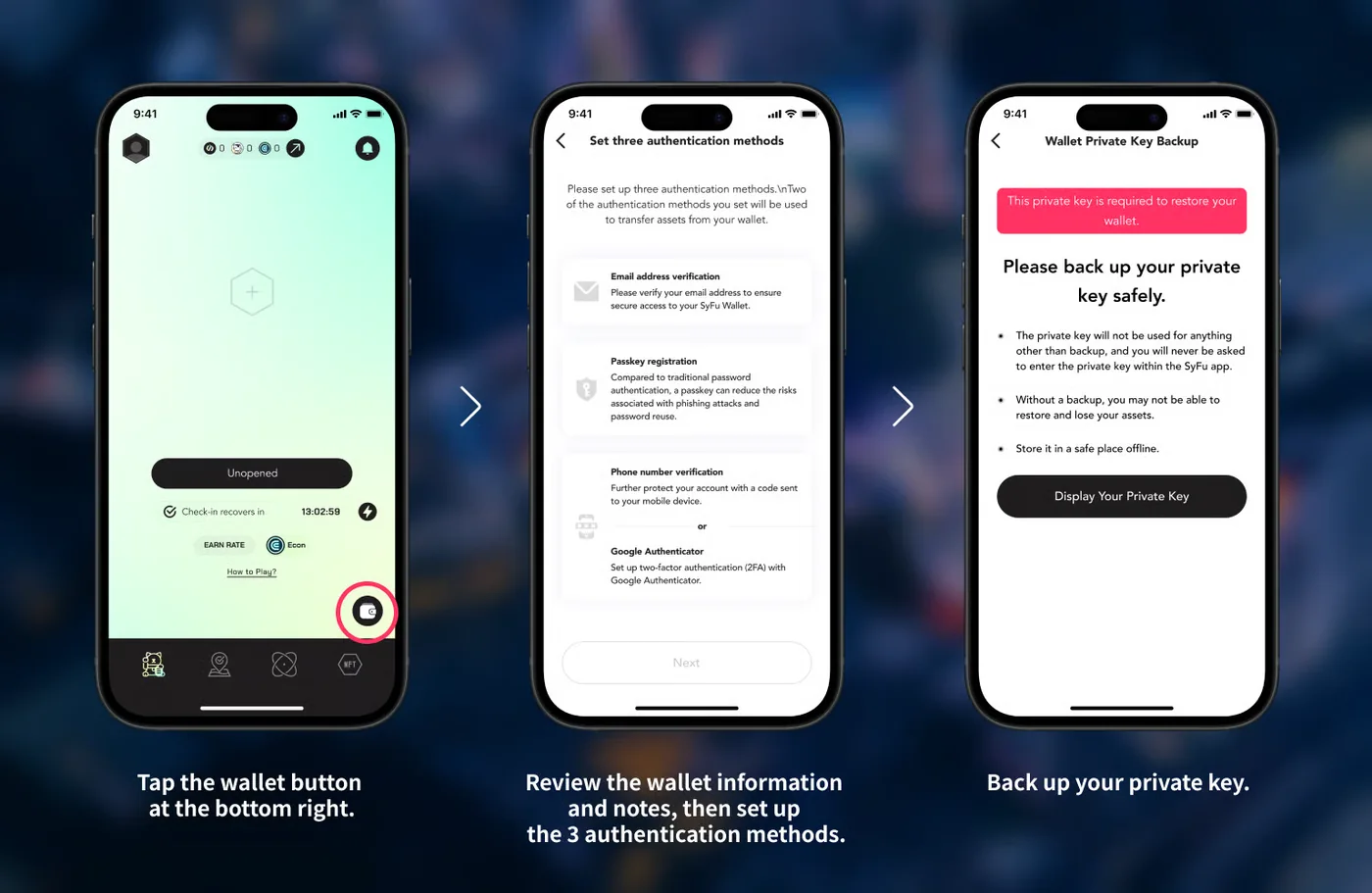
- Tap the wallet button at the bottom right of the home screen
- Read the explanation and set up three authentication methods (email verification / passkey / phone number or Google Authenticator)
- Show your secret key and back it up
Always back up your secret keyYour secret key is needed to restore your wallet. If you lose it, you may lose your assets. Keep it offline in a safe place and never share it. Moving assets requires at least two of the authentication methods you set up. -
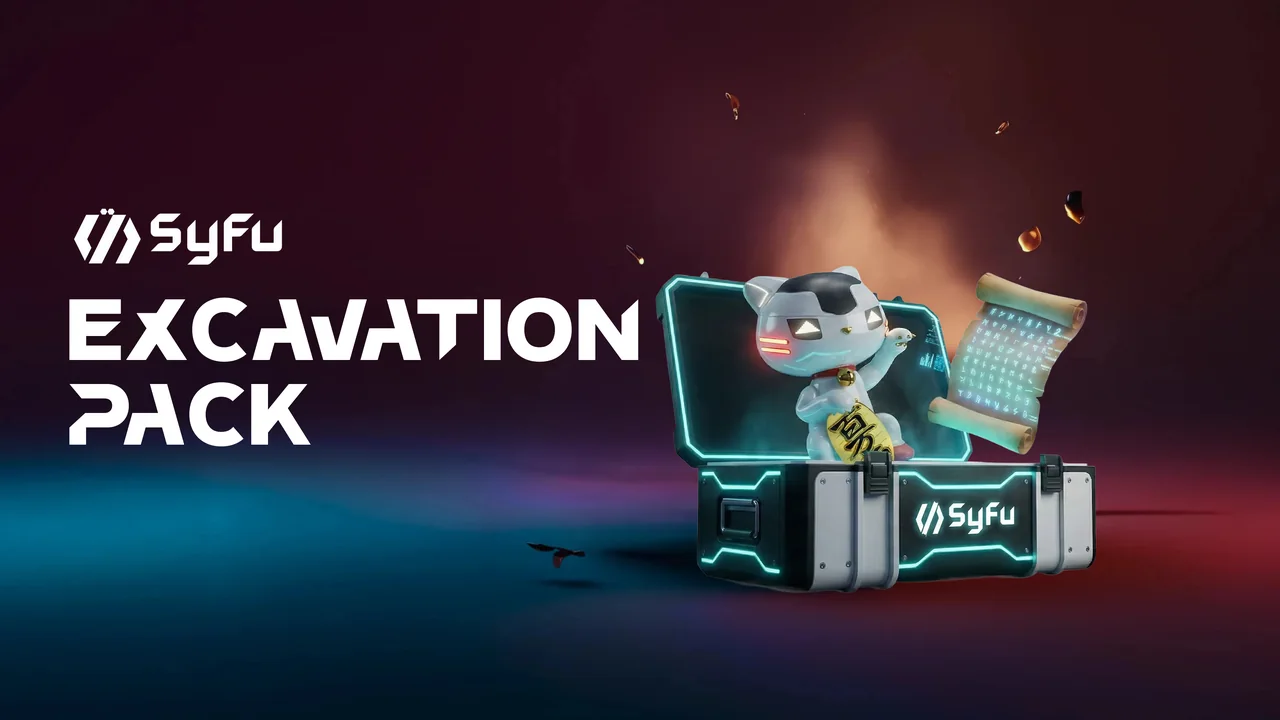 Recommended for beginnersOfficial starter pack
"Excavation Pack"- A set of one Common NFT plus the "Right Scroll" excavation-rights NFT
- $50 (limit one per account)
- Can be bought by credit card, so you can start without preparing BNB (BNB payment also accepted)
Which one to chooseHow to buyStarter pack- Open the official sales page and log in from the menu with your registered email
- Choose a payment method (credit card / BNB)
- For credit card, enter your card details (processing fee applies). For BNB, confirm with the passkey registered to your SyFu Wallet to complete the purchase
- Your MANEKINEKO appears in the app's NFT tab
Marketplace- Open the official marketplace and log in from the menu with your registered email
- Choose an NFT, press "Buy Now" and check the price
- Confirm with the passkey registered to your SyFu Wallet to complete the purchase
- Your MANEKINEKO appears automatically in the app's NFT tab
To buy on the marketplace or pay for the starter pack with BNB, you need BNB in your Spending wallet.
See "Extra: Preparing BNB" below for how to set it up. -
You need this to buy NFTs on the marketplace or to pay for the starter pack with BNB. SyFu has two wallets, and BNB moves in this order: external wallet → SyFu Wallet → Spending.SyFu WalletYour main wallet for storing NFTs and tokens and for deposits and withdrawals. BNB from an exchange arrives here.SpendingThe wallet you use inside SyFu, for example for marketplace purchases. Fund it from your SyFu Wallet.
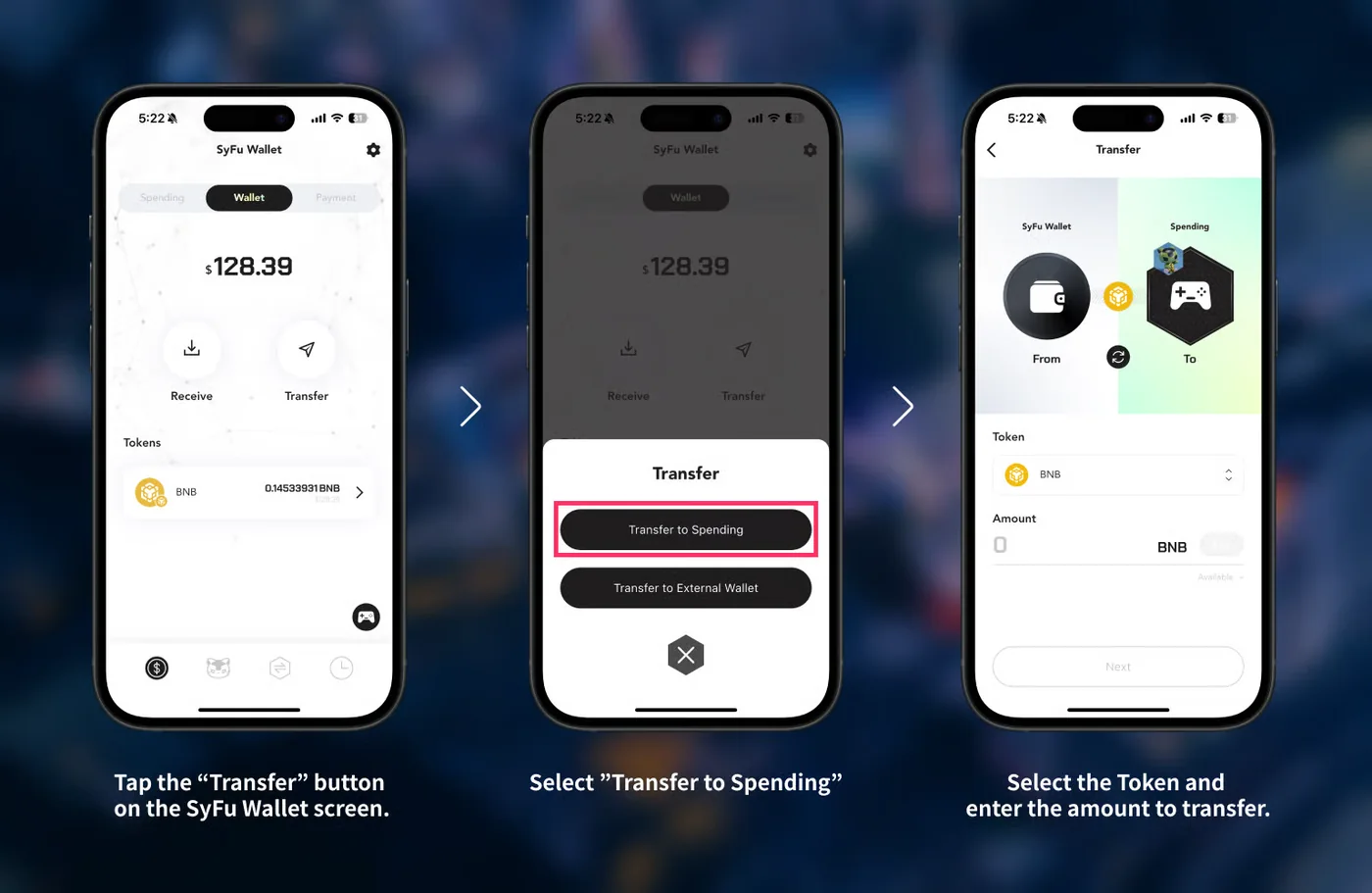
- Buy BNB on an exchange
- Send BNB via BNB Chain(BSC) to your SyFu Wallet
- On the SyFu Wallet screen, tap "Send" and choose "Send to Spending"
- Choose the asset (BNB) and amount, send it, and check your Spending balance
Sending on any network other than BNB Chain (BSC) may result in lost assets. Double-check the address and network, and try a small amount first. -
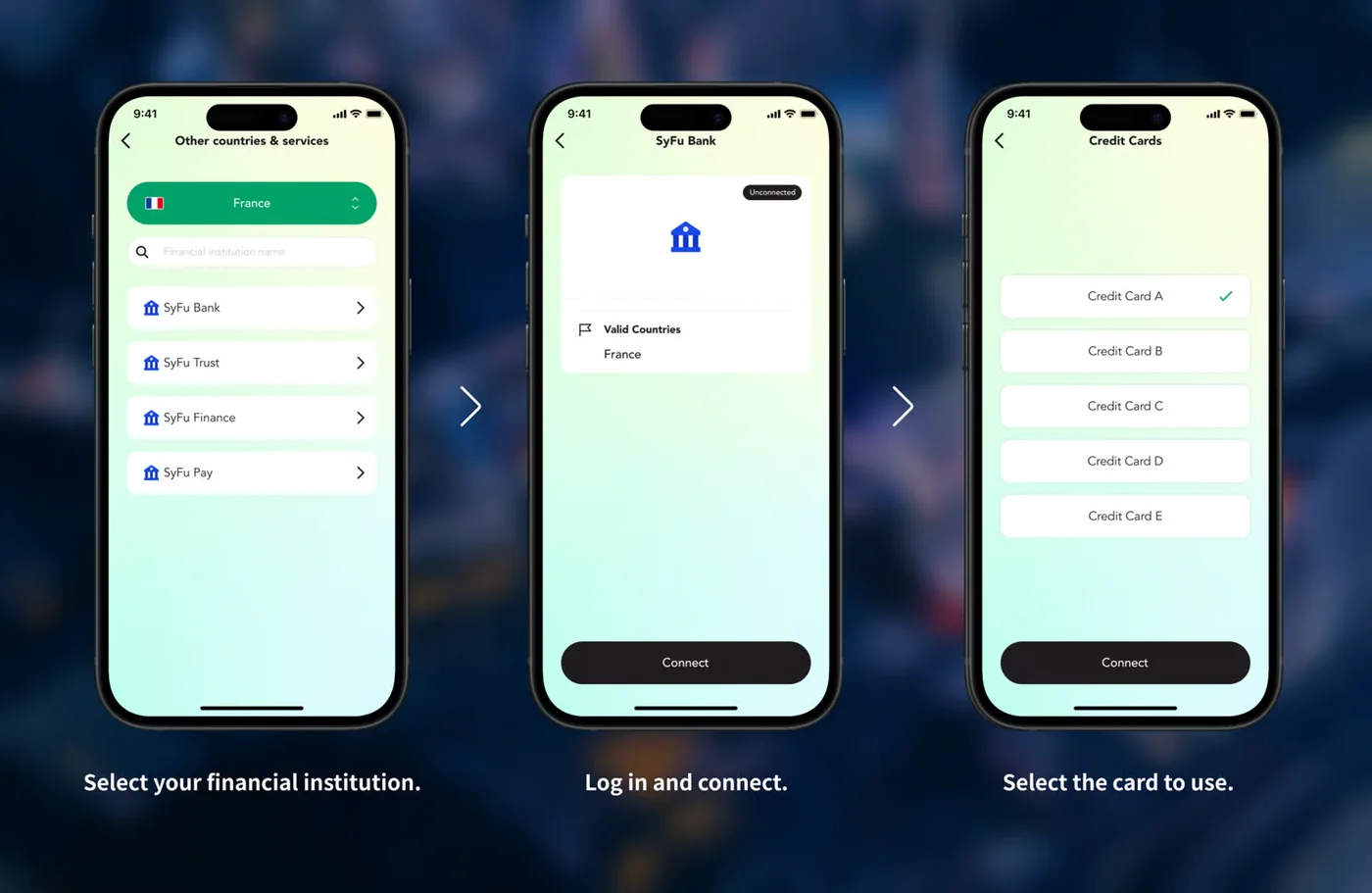
- Open "Payment Data Integration" from the menu
- Choose your provider and sign in to link it (in Japan: Money Forward ME; in other regions: your bank via Salt Edge Open Banking)
- Select the card to use with SyFu and tap "Link"
Your card details stay with the linking service, and SyFu receives only your payment data. Without a SyFu Pass subscription, you can link one card. -
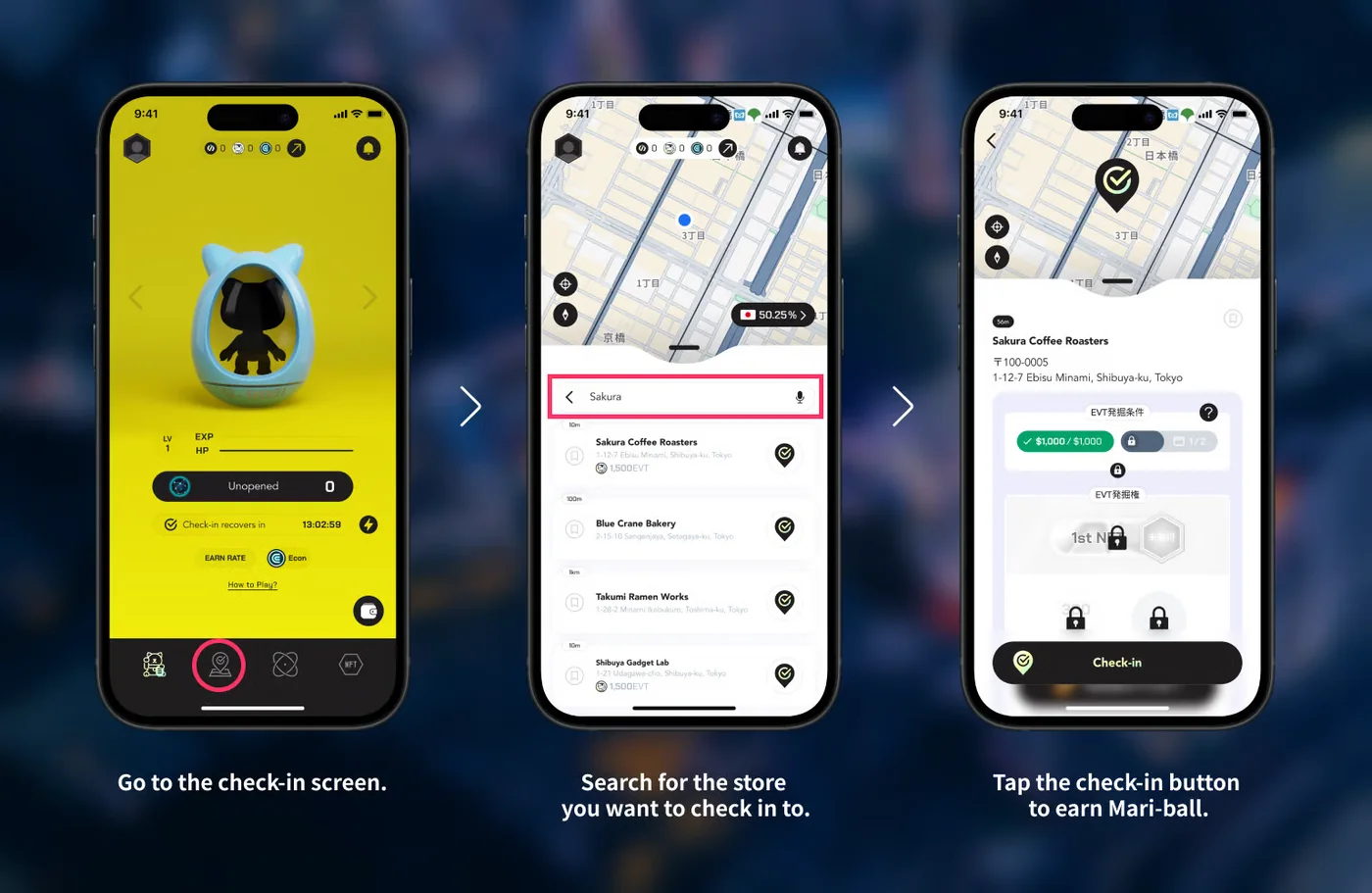
- Open the check-in screen from the bottom menu
- Search for the store (stores within about 300 m are shown)
- Tap "Check in" to get a ball
Check in before you pay. After checking in, pay as usual with your linked card. -
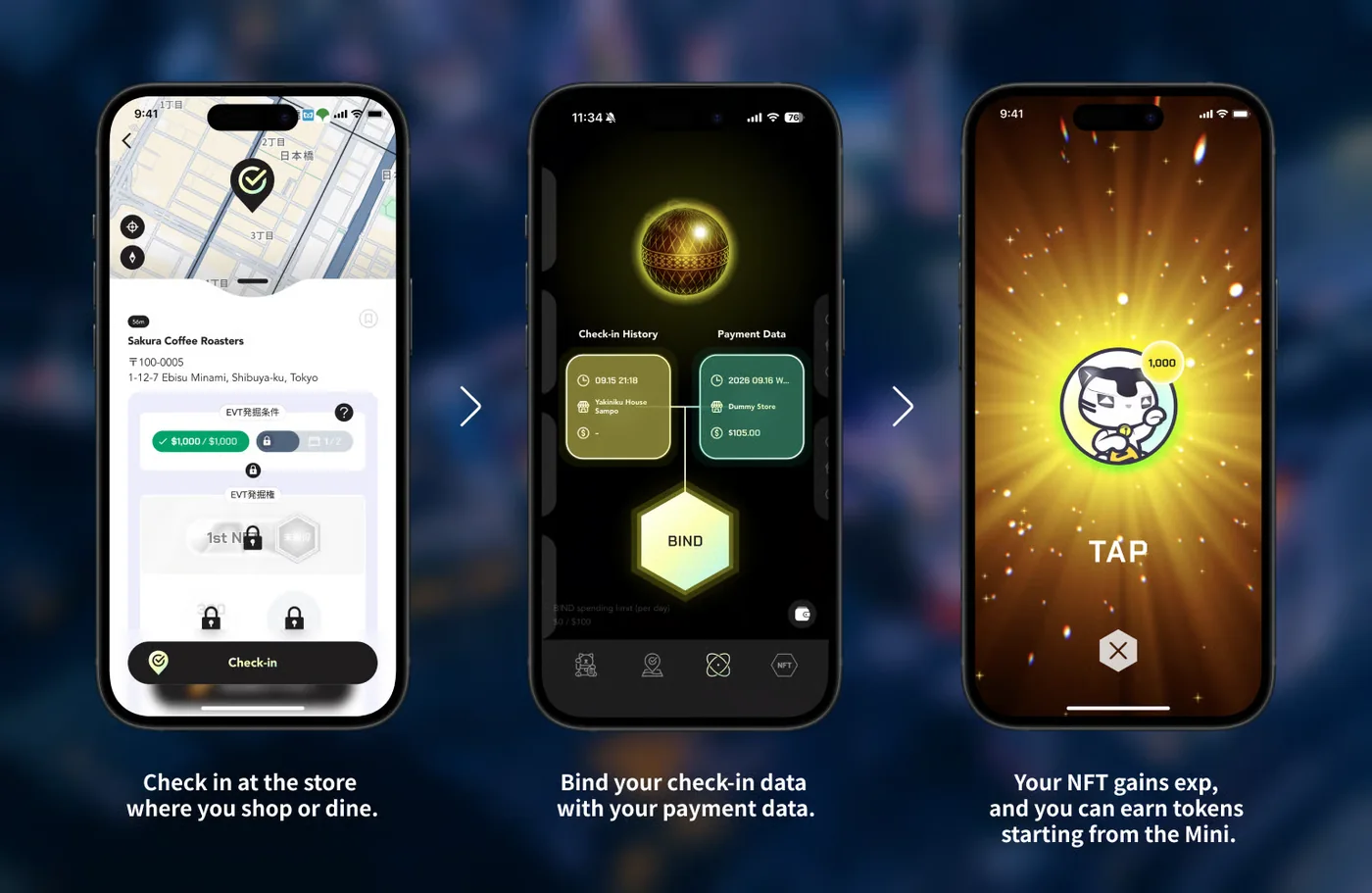
- Once your payment data shows up in the app (usually 3–5 business days), link your check-in history and payment data on the BIND screen
- Earn tokens!
FAQ
The app and account are free. To actually play, you need at least one MANEKINEKO NFT. For beginners, we recommend the official starter pack ($50), which you can buy by credit card.
It's optional. Entering one in the invite code field on the sign-up screen gives you a bonus. Check official information for details and conditions.
Your card is registered with Money Forward (Japan) or Salt Edge (global), and SyFu receives payment data through these trusted external APIs.
You create a wallet inside the SyFu app. For on-chain actions such as buying NFTs, you need a Web3 wallet that supports BNB Chain, plus BNB.
No. NFT and token prices fluctuate and you may lose money. Invest at your own risk, using only spare funds.
SyFu by the numbers
* Official figures as of July 31, 2026 (source: official SyFu website). This page is unofficial, so check the official site for the latest figures.
From your next purchase,start earning rewards.
Your everyday credit card payments turn into tokens.
Downloading the app and signing up are free.